Shopify and Google Sites both put a website online, but they answer completely different questions. One is a full ecommerce platform built to sell products and process payments at scale.
The other is a free, no-frills site builder designed for internal hubs and simple informational pages. A
fter spending hundreds of hours testing ecommerce and website-building tools, my conclusion is straightforward: if your goal is to sell, Shopify wins by a wide margin, and Google Sites is not really competing for that job at all.
So the honest framing here is not “which builder is better” but “which tool fits the job.” Below, I compare the two on pricing, selling features, design, ease of use, SEO, and support, then lay out exactly when each one makes sense.
Shopify vs Google Sites: quick verdict
- Shopify – Best for selling online. A complete commerce stack with checkout, payments, inventory, and apps. (You can claim your first 3 months for $1/month on an annual plan.)
- Google Sites – Best for free, simple, collaborative sites. Ideal for intranets, project hubs, and basic info pages, with no ecommerce of its own.
If you want to take orders, manage stock, and grow a brand, Shopify is the platform built for that. If you need a quick, free page for a team, a class, or an event, and selling is not the point, Google Sites does that job well and costs nothing.
Quick comparison: Shopify vs Google Sites
| Aspect | Shopify | Google Sites |
|---|---|---|
| Core purpose | Full ecommerce platform for selling products and services | Simple builder for informational and internal sites |
| Pricing | $29 to $299/month billed annually, plus transaction fees | Free builder and hosting; custom domain needs Google Workspace from $7/user/month |
| Ecommerce | Native catalog, cart, checkout, payments, inventory, apps | None; only external embeds or links |
| Design | Professional themes, deep styling, code access via Liquid/HTML/CSS | Limited templates, simple layouts, constrained controls |
| Ecosystem | Large app store, deep Google and YouTube selling integration | Tight links to Docs, Sheets, Drive, Calendar; few third-party add-ons |
| SEO and content | SEO tools, blogging, structured data via themes and apps | Basic meta settings; weak blogging and optimization |
| Scalability | Built for high traffic, large catalogs, and growth | Fine for small and internal sites; not built to scale a store |
| Support | 24/7 chat and phone, plus docs and community | Self-service help docs and community forums only |
| Best for | Serious ecommerce, DTC brands, omnichannel retailers | Schools, small teams, intranets, ultra-basic public sites |
Best for pricing: Google Sites (on sticker price)
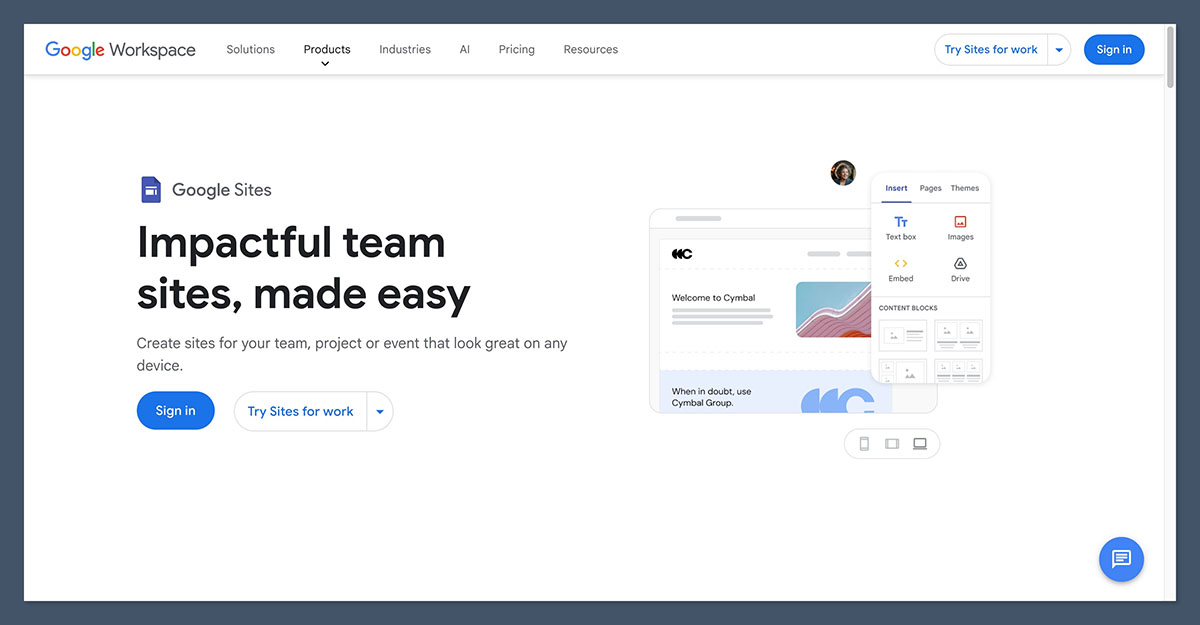
On the raw cost of getting a page live, this is not close. Google Sites is free with any Google account, including hosting, and you can have a basic site published in minutes.
The only paid layer comes in if you want a custom domain and business-grade tools, which means a Google Workspace subscription starting at $7 per user per month on annual billing ($8.40 if you pay monthly). That gets you a custom email address, admin controls, and extra storage, but it adds no ecommerce features.
Shopify sits at the other end. Its three core plans run from $29 to $299 per month on annual billing:
| Plan | Annual price | Monthly price | Card rate (Shopify Payments) | Staff accounts |
|---|---|---|---|---|
| Basic | $29/month | $39/month | 2.9% + 30c online | Up to 2 |
| Grow | $79/month | $105/month | 2.7% + 30c online | Up to 5 |
| Advanced | $299/month | $399/month | 2.5% + 30c online | Up to 15 |
A note on the names, since older guides still get this wrong: the mid-tier plan, once just called “Shopify,” is now “Grow.” Shopify also runs a 3-day free trial and a standing offer of your first 3 months for $1/month when you start on an annual plan. If you use a third-party payment gateway instead of Shopify Payments, expect an extra surcharge of roughly 0.2% to 2.0% on top of your processor’s fees, depending on your plan.
The catch with comparing the two on price is that they are not buying you the same thing. Google Sites is cheaper because it does far less. The moment you actually need to sell, you have to bolt on external tools, and the cost and complexity shift somewhere else.
The winner: Google Sites is free, but that is not the whole story. Google Sites wins on sticker price for any non-selling site. Shopify wins on return if you plan to take orders, because the platform fee buys you a working store rather than just a page.
Best for selling online: Shopify

This is the section where the two tools stop being comparable. Shopify is a purpose-built commerce platform; Google Sites has no native selling features at all.
What Shopify gives you
With Shopify you get full catalog management, inventory tracking, product variants, and support for physical, digital, and service products.
Checkout is built in and PCI-compliant, and you can connect more than 100 payment methods, including PayPal, Apple Pay, and Google Pay, or use Shopify Payments as the native gateway.
On top of that sits a large app store covering dropshipping, print-on-demand, subscriptions, upsells, and shipping rules, plus an official Google and YouTube app for selling through Merchant Center, Performance Max, and YouTube Shopping.
What Google Sites gives you
Nothing native. There is no cart, no checkout, and no product catalog. The most you can do is embed a third-party widget or buy button, for example dropping a Shopify store embed or a “buy now” link onto a Sites page, or listing products with a “contact us” link.
That can work for a hobby project or a simple price list, but it is not a standalone store, and you inherit the limits of whatever you embed.
The winner: Shopify, decisively. Google Sites can display products. Shopify actually sells them, with checkout, payments, inventory, and a real fulfillment ecosystem behind it.
Best for design and templates: Shopify
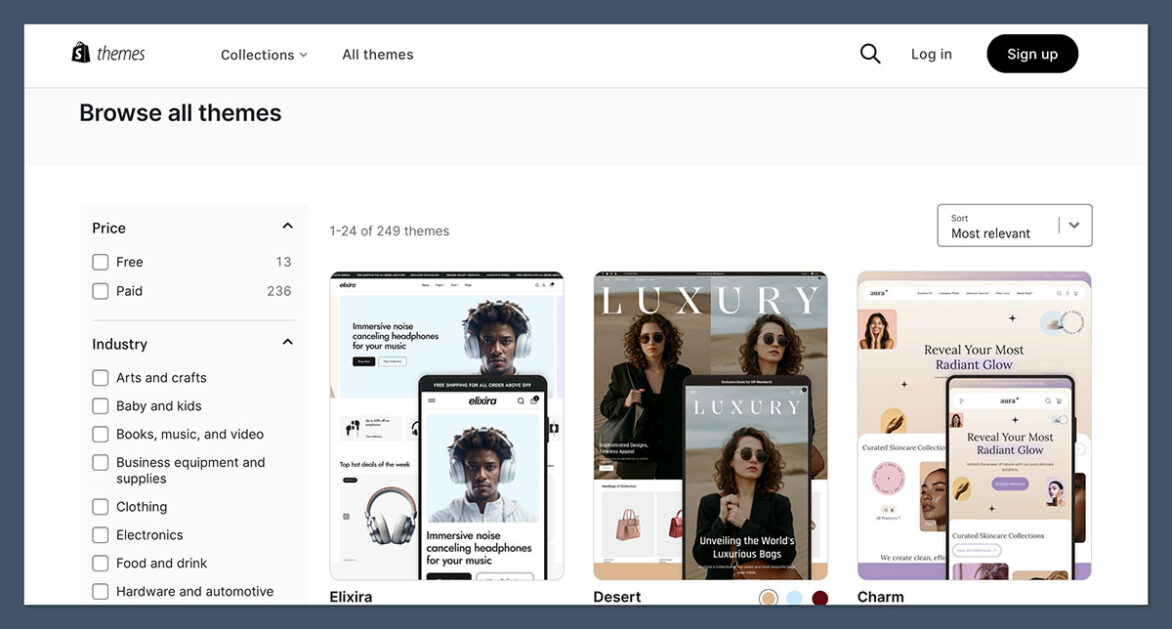
Shopify ships with a large library of professional themes spanning many industries, a modern theme editor, and deep styling controls. Developers can go further with Liquid templates plus HTML and CSS, and apps extend the storefront in almost any direction. A handful of themes are free, while premium themes are a one-time purchase, typically in the low hundreds of dollars.
Google Sites takes the opposite approach on purpose. It offers a small set of clean, minimalist templates aimed at simple layouts. The drag-and-drop editor is genuinely easy to use, but customization is constrained: limited layout options, modest control over typography and spacing, and no advanced theming. That is fine for a tidy internal page and frustrating if you want a distinctive storefront.
The winner: Shopify. For anything customer-facing, Shopify’s themes and styling depth are in a different league. Google Sites trades flexibility for simplicity, which suits its audience but not a brand.
Easiest to use: Google Sites
Here Google Sites earns a clear win, with an important caveat. For the narrow job of building a simple page, almost anyone can have something live within minutes, with no learning curve and tight integration to Docs, Sheets, Slides, Forms, and Drive.
Shopify is more involved, because running a store is more involved. There is genuine complexity in shipping, taxes, payments, and apps. That said, the onboarding is friendly: Shopify walks you through a setup checklist, asks what and where you want to sell, and uses a section-based editor that most non-developers pick up quickly. The extra steps exist because Shopify is doing far more than putting text on a page.
The winner: Google Sites, for sheer simplicity. But the comparison is uneven: Google Sites is easy because it does less. Shopify is approachable for the much larger job it handles.
Best for SEO and content: Shopify
If you care about being found, Shopify is the stronger foundation. It offers editable title and meta tags, SEO-friendly URLs, a built-in blog, and structured data through themes and apps, so you can build genuine content hubs alongside your store.
The flip side is fierce competition: popular ecommerce niches are crowded, so ranking takes real content depth and technical work, not just the platform.
Google Sites covers the basics, with mobile-friendly rendering and some meta configuration, but it lacks advanced SEO controls, rich schema support, and serious blogging tools. That makes it a poor base for an SEO-driven or AI-search content strategy, where deep, interlinked topical pages matter. A real CMS or an ecommerce platform with a proper blog will almost always outperform it for organic visibility.
The winner: Shopify. It is built for content-led growth and integrates with Google’s commerce surfaces. Google Sites is not designed to compete for search traffic.
Best for integrations: it depends on the job
This is the one area where “winner” depends entirely on what you are building. The two ecosystems point in opposite directions.
Shopify connects to the commerce world
- A large third-party app store covering marketing, fulfillment, customer service, and operations.
- Deep integration with Google’s commerce stack: sync your catalog to Merchant Center, run Performance Max, and link Google Analytics through the official Google and YouTube app.
- Multichannel selling across marketplaces and social platforms, plus the ability to scale from a few SKUs to large catalogs.
Google Sites connects to your documents
- Tight links to Google Workspace: embed Docs, Sheets, Slides, Forms, Drive, and Calendar directly into pages.
- Strong collaboration and access control: multiple editors and the ability to restrict a site to a domain, a team, or specific people.
- Very few third-party integrations and no app marketplace of its own.
The winner: a tie, by use case. Shopify integrates with the tools that help you sell. Google Sites integrates with the tools that help your team collaborate. Pick the ecosystem that matches your goal.
Best for support: Shopify
Shopify offers 24/7 support through live chat and phone, backed by a thorough Help Center with guides, video tutorials, courses, and an active community forum.
Priority support is reserved for enterprise (Plus) merchants, and email support has been phased out, but the round-the-clock channels cover most needs.
Google Sites has no dedicated live support. You rely on help documentation and community forums. For a free product aimed at simple sites that is a reasonable trade, and the tool is easy enough that most people rarely need help, but there is no one to call when something breaks.
The winner: Shopify. Direct 24/7 support matters when your store, and your revenue, depend on it. Google Sites leaves you to self-serve.
When Shopify is the right choice
Choose Shopify if you recognize yourself here:
- You want to actually sell, with a product catalog, checkout, payment processing, and order management.
- You are doing dropshipping, print-on-demand, subscriptions, or multichannel retail across Google Shopping, YouTube, and social.
- You expect to grow and want A/B testing, upsells, email and SMS marketing, and analytics built in.
- You are a content-driven brand that wants blogging and SEO tied directly into the store.
For building a first real online store, Shopify remains the default recommendation for most people because it balances power and ease better than the alternatives.
When Google Sites is the right choice
Choose Google Sites if your needs look like this:
- Internal resources: intranets, HR hubs, onboarding portals, project documentation, or classroom sites.
- Simple public pages: event one-pagers, portfolio prototypes, or a basic “business card” site when the budget is effectively zero and selling is not the point.
- Collaborative work: a team already living in Google Workspace that wants quick, co-edited pages with embedded Docs, Sheets, and Forms and fine-grained access control.
One thing to avoid: using Google Sites as your primary store. Embedding buy buttons can work for a one-off, but running a real business on it is a mismatch of tool and goal. If selling becomes the priority, that is the signal to graduate to Shopify.
How we test
We assess ecommerce and website-building platforms through hands-on use rather than spec sheets alone, weighting the areas that matter most to readers building or running a site:
| Criteria | What we look at |
|---|---|
| Selling features | Catalog, checkout, payments, inventory, and the depth of the commerce stack |
| Site and content features | SEO controls, blogging, and the tools needed to grow organic traffic |
| Design | Template range, styling control, and flexibility for a branded look |
| Ease of use | Onboarding, editor experience, and the learning curve for non-developers |
| Ecosystem | App marketplaces, native integrations, and multichannel reach |
| Support | Available channels, response options, and self-service resources |
| Value for money | What you actually get for the price, including fees and add-ons |
Pricing in this comparison was verified against current public plans at the time of writing. Plan names and rates change, so confirm the latest figures on each provider’s pricing page before committing.
Shopify vs Google Sites: the verdict
These two tools rarely belong on the same shortlist, and that is the real takeaway. If you want to build and grow an online store, Shopify is the clear choice: it owns selling, design depth, SEO, and support, and it scales with you.
Google Sites is not trying to win that fight. It is the better pick when you need a free, simple, collaborative site and selling is not on the table.
The cleanest way to decide is to name the job. If money is meant to change hands on your site, start with Shopify. If you just need information online quickly and at no cost, Google Sites does that well, and you can always migrate to Shopify later when the business outgrows it.
Frequently asked questions
Can you sell products on Google Sites?
Not natively. Google Sites has no cart, checkout, or product catalog. The only way to “sell” is to embed a third-party widget or buy button, such as a Shopify store embed, or to list products with an external link. That can suit a hobby project or a simple price list, but it is not a true online store.
How much does Shopify cost compared with Google Sites?
Google Sites is free with a Google account, and a custom domain via Google Workspace starts at $7 per user per month on annual billing. Shopify’s core plans run from $29 to $299 per month on annual billing, plus payment processing fees. They are priced differently because they do different jobs: one publishes a page, the other runs a store.
Is Google Sites good for SEO?
Only at a basic level. It handles mobile-friendly rendering and some meta settings, but lacks advanced SEO controls, rich schema, and strong blogging tools. For a content-led or AI-search strategy that depends on deep, interlinked pages, a dedicated CMS or an ecommerce platform like Shopify is a much better foundation.
Is Shopify harder to use than Google Sites?
Yes, but mostly because it does far more. Google Sites is faster for a simple page. Shopify involves more setup around shipping, taxes, payments, and apps, though its guided onboarding and section-based editor keep it approachable for non-developers.
Should I move from Google Sites to Shopify?
Make the switch when selling becomes a priority. If you only need an informational or internal site, Google Sites is fine to stay on. Once you need to take orders, manage inventory, and market products, that is the point to move to Shopify, which is built for exactly that.