Printify and Redbubble are two of the most popular print-on-demand platforms, but they take fundamentally different approaches to selling custom products online.
We have spent dozens of hours analyzing both platforms, testing the dashboards, and modeling the math on real product margins.
Based on that work, Printify is the clear winner if you want to build a real ecommerce business around print-on-demand.
Printify vs Redbubble: Quick Verdict
- Printify: Best overall, ideal for building a branded print-on-demand business with controllable margins (free plan available, Premium at $24.99/month on annual billing).
- Redbubble: Best for artists who want a low-effort marketplace that brings its own traffic.
In this comparison, I will take a closer look at why Printify outperforms Redbubble for most sellers, comparing the two platforms on pricing, sales features, design tools, ease of use, and customer support.
Updated for 2026. This piece reflects Printify’s February 2026 Premium plan price change ($24.99/month annual, $39/month monthly), Redbubble’s current tier-based fee structure (Standard, Premium, Pro), and the July 2026 payout threshold drop to $10.
Quick Comparison: Printify vs Redbubble
Get a quick and clear overview of Printify and Redbubble in the table below:
| Feature | Printify | Redbubble |
|---|---|---|
| Business model | POD fulfillment network for your own store | Artist marketplace with built-in audience |
| Starting price | Free plan, Premium from $24.99/month (annual) | Free to join, tier-based fees on earnings |
| Free trial | Free plan forever, no card required | Free account, no card required |
| Traffic source | You drive your own traffic | Built-in marketplace search and SEO |
| Product catalog | 1,300+ products across multiple print providers | Curated catalog with standardized providers |
| Pricing control | You set the retail price | Redbubble sets base price, you set markup |
| Margins | High, especially with Premium discounts | Lower, capped by marketplace pricing |
| Integrations | Shopify, Etsy, WooCommerce, TikTok Shop and more | Standalone marketplace, minimal integrations |
| Brand control | Full white-label branding | Redbubble-branded storefront |
| Customer data | You own emails and order history | Customers belong to Redbubble |
| Best for | Brand builders, DTC operators, scaling sellers | Artists wanting passive marketplace income |
Best for Pricing: Printify
If you are looking at the cost of running a print-on-demand business, Printify is the more straightforward and ultimately more profitable option for most sellers. Both platforms are technically free to start, but the fee structures behind that “free” label work very differently.
Printify operates on a freemium subscription model. The Free plan gives you full access to the catalog of more than 1,300 products with no monthly fee, and you only pay the production cost plus shipping when an order is placed.
The paid Premium plan, which is where most serious sellers end up, costs $24.99 per month when billed annually ($299 per year) or $39 per month on monthly billing as of February 2026. Premium unlocks discounts of up to 20% on most catalog products, which compounds with every order and can easily pay for the subscription several times over.
Take a look at Printify’s plans below:
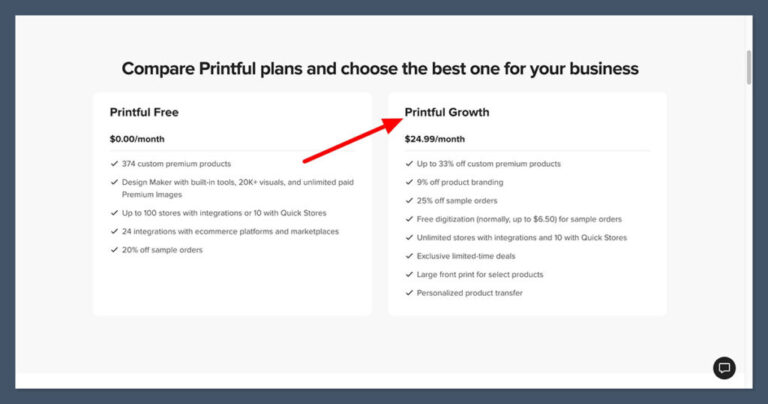
- Free: $0, up to 5 stores, full catalog access
- Premium: $24.99 per month (annual) or $39 per month, up to 10 stores, up to 20% product discount
- Enterprise: Custom pricing for sellers shipping high volumes daily
Redbubble has no subscription cost at all, which sounds great on the surface. However, the platform applies tier-based account fees to sales. New artists land in the Standard tier and pay a 50% platform fee on monthly earnings.
Once Redbubble promotes you to Premium, that drops to a 20% platform fee on earnings. Only Pro-tier artists (top sellers and ambassadors) are exempt from fees.
On top of that, any product markup set above 20% triggers an extra 50% excess markup fee on the portion above 20%, with a $150 monthly fee cap as a safety net.
So the cost of selling on Redbubble is hidden inside the per-sale math. A Standard-tier artist with a $20 base-price T-shirt and a 20% markup earns $4 before fees, but loses 50% of that to the platform fee, leaving $2 per shirt. The same shirt on a Printify-powered Shopify store, after the 20% Premium product discount, often clears $8 to $12 in margin depending on retail price.
If you are a small artist who just wants to upload designs and never think about subscriptions, Redbubble’s $0 entry point is tempting. But if you are running the numbers as an actual ecommerce business, Printify’s pricing is significantly more friendly to growth.
The Winner
Printify offers better long-term pricing for sellers
Printify’s free plan and $24.99/month Premium tier give you a predictable cost base, while Redbubble’s tier-based platform fees (up to 50% for Standard accounts) quietly eat into every sale. Printify wins on real margin, even if Redbubble looks cheaper at signup.
Best for Selling Online: Printify
Based on our analysis of both platforms in 2026, Printify offers the better selling infrastructure for anyone serious about treating print-on-demand as a business.
Redbubble caters more to artists who want incremental marketplace income with minimal operational work.
Sales Features
Printify and Redbubble approach “selling” from opposite ends. Printify is a fulfillment layer behind a real ecommerce store, so the sales features come from whichever platform you connect it to. That means you inherit the full sales toolkit of Shopify, Etsy, WooCommerce, or TikTok Shop: abandoned cart recovery, discount codes, upsells, email flows, analytics, multichannel inventory sync, and so on.
Redbubble bundles its own sales features into the marketplace itself. You get product listings with marketplace SEO, automatic discounts and sales events run by Redbubble, and built-in search and discovery. What you do not get is control: you cannot run your own coupon strategy, build an abandoned cart flow, or design a custom upsell.
The marketplace decides when to discount your products, often without warning, which can compress margins further.
Printify has also leaned heavily into product expansion in 2026, with a Personalization Hub for customizable products (names, numbers, text fields), better mockup tools, bulk ordering, and more granular product variants. These features are designed for sellers running real catalogs at scale.
Payment Options
Because Printify does not handle the customer-facing checkout, payment options depend on your storefront. If you sell through Shopify, you get access to over 100 payment methods including Shopify Payments, PayPal, Apple Pay, and Google Pay. On Etsy, you use Etsy Payments. The flexibility is essentially whatever your chosen platform offers.
Redbubble handles payments centrally through its own checkout. Customers can pay with major credit cards, PayPal, and a few regional options like Klarna in supported markets. For artists, this means zero payment setup work, but also zero choice. You do not see customer payment data, and you cannot influence checkout conversion.
For payouts, Printify settles charges with you in real time through your store, so revenue lands in your normal business account as soon as the customer pays.
Redbubble pays artists monthly through PayPal or bank transfer, with a payment threshold that drops from $20 to $10 starting July 1, 2026. That cash flow gap can be meaningful for sellers trying to reinvest in ads or new designs.
Multichannel and App Ecosystem
This is where the two platforms diverge most sharply. Printify natively integrates with Shopify, Etsy, WooCommerce, TikTok Shop, eBay, Wix, and Squarespace, and you can run multiple stores from a single backend (up to 5 on Free, up to 10 on Premium).
On top of that, you inherit the entire app ecosystem of your chosen platform, which means thousands of marketing, SEO, email, and analytics tools are available.
Redbubble is a single-channel platform. You upload designs to Redbubble, and they sell on Redbubble. Some artists cross-promote their Redbubble shop on Instagram or Pinterest, but there is no native way to push the same inventory to Etsy, Shopify, or TikTok. If you want to be multichannel, you either upload your designs separately to each platform or you switch to a tool like Printify.
The Winner
Printify wins on sales infrastructure and multichannel selling
Printify plugs into Shopify, Etsy, WooCommerce, and TikTok Shop, letting you run a real multichannel business with full sales features. Redbubble keeps everything inside its own marketplace, which is simpler but much more limiting.
Best for Marketing Products: Printify
Setting up products is one thing. Getting people to actually buy them is another. Marketing capabilities are where the two platforms diverge most clearly, because they assume completely different things about who is driving the traffic.
Marketing Tools
With Printify, you are responsible for marketing, which sounds intimidating but actually means you have access to every marketing tool in the ecosystem.
Through Shopify, you can run Shopify Email campaigns, install Klaviyo or Mailchimp for advanced flows, connect to Meta Ads, TikTok Ads, and Google Ads, and use a long list of affiliate and influencer tools. On Etsy, you tap into Etsy’s internal ads platform plus Etsy SEO.
Printify itself adds value through better mockups, sample order discounts, and a growing library of marketing-focused content and tutorials. The 2026 Sellers Club mentorship included with Premium also helps newer sellers get a marketing foundation in place.
Redbubble handles most of the marketing for you. The platform runs Google Shopping ads on your behalf, manages site-wide promotional events, and exposes your products to its existing buyer audience. For artists who do not want to learn paid ads or email marketing, this is genuinely useful.
The downside is that you have no control over which products get promoted, when sales happen, or how your work is positioned. You also cannot build an email list, which is a significant long-term limitation.
SEO
SEO works in opposite directions on each platform. Printify-powered stores compete in the open web. Your Shopify or WooCommerce site needs to rank in Google for terms like “funny dad shirt” or “minimalist coffee mug,” which means you need to optimize titles, meta descriptions, product descriptions, schema markup, and so on. Tools like Yoast SEO, Surfer, or Shopify’s native SEO features all apply.
Redbubble runs its own internal search engine. Optimization means writing strong product titles, descriptions, and tags inside Redbubble’s interface, hoping to rank for relevant terms when buyers search the marketplace.
Redbubble also indexes its product pages in Google, so good listings can pick up organic search traffic from outside the platform without you doing anything extra. This is a real advantage for beginners, but it caps the upside compared to building real brand SEO around a domain you own.
Internationalization
For sellers targeting international markets, Printify wins on practical capability. Because Printify lets you choose print providers by region, you can serve US customers from a US provider and EU customers from a European provider, which dramatically reduces shipping times and import costs. Combined with multi-currency features on Shopify, this gives you a true international setup.
Redbubble also fulfills internationally through its own provider network, with localized currencies and pricing handled automatically. For artists, this is easier. But you have no control over which provider handles a given order, which can affect shipping times and quality for specific markets.
The Winner
Printify gives you stronger marketing leverage
Printify connects you to the full marketing toolkit of Shopify, Etsy, and the broader ad ecosystem, with regional provider selection for international sellers. Redbubble does more of the marketing for you, but caps your ceiling.
Easiest to Use: Redbubble
This is the one category where Redbubble has a clear edge. If your goal is to upload designs in an afternoon and start selling without thinking about ecommerce, Redbubble is the simpler platform. Printify requires more setup, more decisions, and more ongoing management.
With Redbubble, signup takes minutes. You create an account, confirm your details, and you are inside the artist dashboard. From there, the workflow is straightforward: upload your artwork, choose which products to enable, set your markup percentage, write titles and tags, and publish.
The same design propagates across stickers, T-shirts, phone cases, art prints, and dozens of other products in a single upload.
You never set up a storefront, choose a domain, configure payments, set up shipping zones, or think about taxes. Redbubble handles all of that. For an artist who just wants designs in front of buyers, this is genuinely freeing.
Printify requires more upfront work, but the work is front-loaded rather than ongoing. After signing up, you need to:
- Connect a storefront (Shopify, Etsy, WooCommerce, or another supported platform)
- Choose which products and print providers to use
- Configure shipping rates inside your store
- Set up payment processing on your storefront
- Add products to your catalog using Printify’s mockup generator
- Publish to your store and start marketing
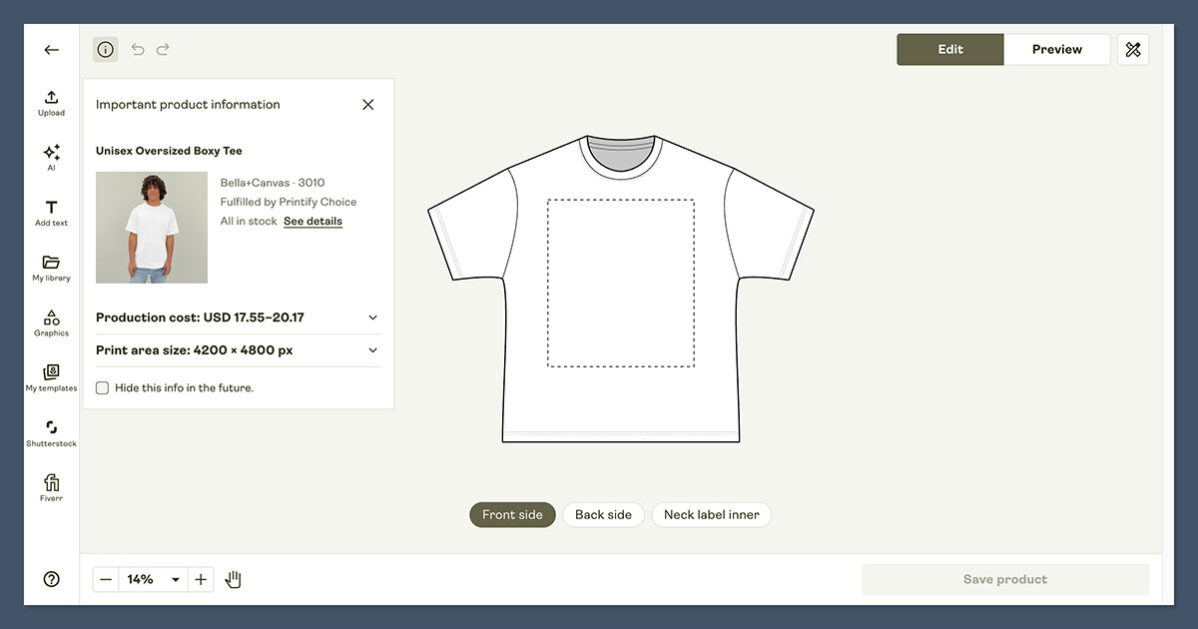
The Printify dashboard itself is well-designed and modern, with a clean product editor, mockup previews, and a streamlined process for ordering samples.
The 2026 updates added a better Personalization Hub and improved publishing preferences, which reduce friction once you understand the workflow. But there is no escaping the fact that you are running a real store, with all the complexity that entails.
For someone who has never sold online before, Redbubble’s frictionless onboarding is a real advantage. For someone who has run a Shopify store or sold on Etsy before, Printify’s added complexity is not a problem at all and pays off quickly in margin and control.
The Winner
Redbubble is dramatically easier to start with
Redbubble’s “upload and sell” model means anyone can be live in under an hour. Printify gives you more power, but you pay for that power with extra setup time and storefront management.
Best Templates and Design Options: Printify
Your store needs to make a strong first impression, and that visual experience matters even more in print-on-demand where buyers cannot touch the product. Here, Printify offers significantly more control.
Printify itself does not provide storefront templates, because it is not a storefront. Instead, you inherit the design ecosystem of whatever platform you connect it to.
On Shopify, that means access to more than 190 themes, including 13 free options and dozens of premium themes ranging from $100 to $500. Themes are categorized by industry and are highly customizable, with strong support for custom branding, photography, and layout.
On Etsy, your store inherits Etsy’s interface, which is more standardized but still allows for a banner, shop announcement, and curated collections. On WooCommerce, you have the full WordPress theme ecosystem with thousands of options.
For product design, Printify provides a built-in mockup generator with multiple angles, lifestyle scenes, and customizable backgrounds. The 2026 updates added more mockup options and better publishing controls, making it easier to produce a polished product catalog without external tools.
Redbubble does not really have “templates” in the storefront sense.
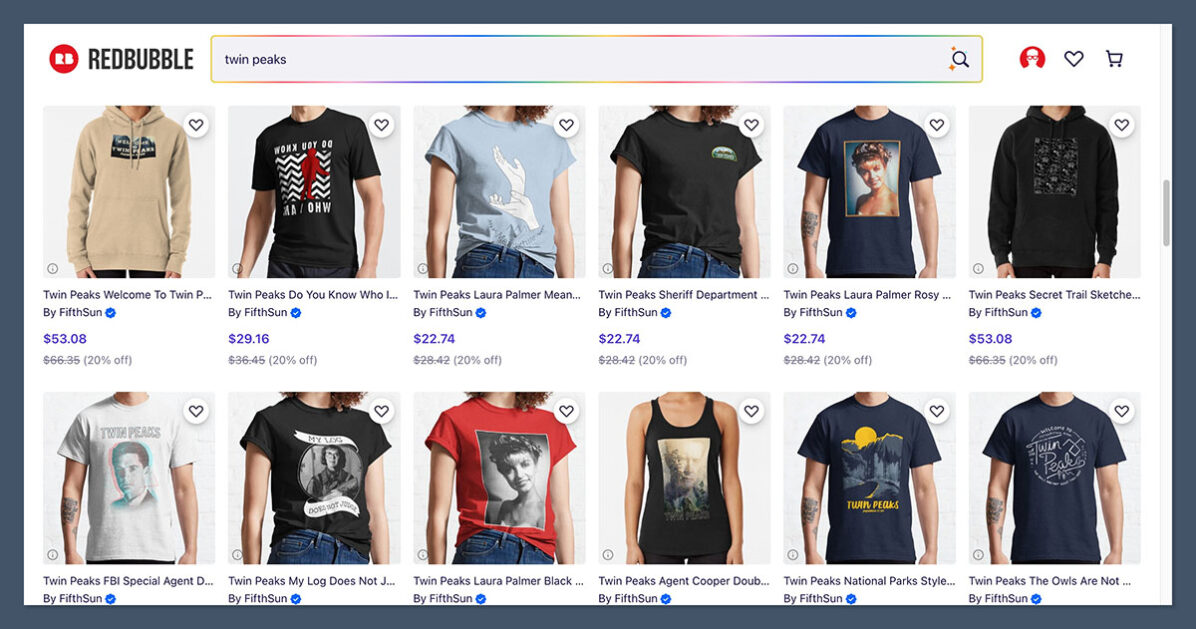
Your shop is a profile page within the Redbubble marketplace, with a banner, an avatar, and a feed of your products in a layout Redbubble controls. You can curate collections and choose featured items, but the visual identity is fundamentally Redbubble’s, not yours.
For product mockups, Redbubble auto-generates them based on your uploaded artwork. The result is consistent and clean, but generic.
Two artists with similar art styles will end up with very similar-looking listings, because the mockup templates are shared across the platform.
The Winner
Printify offers far more design flexibility
By plugging into Shopify, Etsy, or WooCommerce, Printify gives you access to hundreds of professional themes and full visual control. Redbubble’s profile pages are functional but generic.
Best for Business Support: Printify
Every print-on-demand business hits issues eventually: a quality problem with a print, a shipping delay, a billing question. Strong support matters, and both platforms approach it differently.
Printify Support
- 24/7 email and live chat support, with priority queues for Premium and Enterprise customers
- A comprehensive Help Center with detailed articles, video tutorials, and product setup guides
- Active community spaces including a Facebook group and Discord server where experienced sellers help each other
- Printify Connect feature for Premium users adds enhanced order tracking and customer-facing support tools
- The new Sellers Club Pro access (included with annual Premium in 2026) provides mentorship and growth-focused training
- Quality issues sometimes require Printify to coordinate with the print provider, which can extend resolution times
- Phone support is not available on the Free plan
- Response times can stretch during peak holiday seasons
Redbubble Support
- Help Center with searchable articles covering payments, account tiers, copyright, and product issues
- Email-based support via contact form for account and payment questions
- An active artist community and blog that publishes platform updates and tips
- Redbubble handles customer service for end buyers directly, so artists never deal with refund or shipping complaints
- No live chat support for artists
- No phone support
- Response times on email tickets can be slow, especially for tier-related or fee-related questions
- Artists have little visibility into customer interactions, so it is hard to course-correct based on real buyer feedback
The big philosophical difference is who Redbubble is supporting. Redbubble’s primary customer is the buyer, and the artist is more like a supplier. Printify’s primary customer is you, the seller, which shows up in how the support is structured.
The Winner
Printify provides more responsive seller-focused support
Printify treats sellers as customers, with 24/7 chat, priority queues, and a Premium-level mentorship program. Redbubble’s support is leaner and tilted toward buyer issues, with artists getting more limited touchpoints.
How We Compared Printify and Redbubble
We regularly evaluate print-on-demand platforms using a structured framework focused on what actually drives business outcomes for sellers.
For this comparison, we tested both platforms hands-on, set up real product listings, modeled the fee math on representative products, and analyzed recent platform updates through 2026.
Our evaluation weighted seven areas based on their importance to a working print-on-demand business:
- Sales Features (35%): catalog depth, multichannel selling, integrations, and ecommerce capability
- Pricing and Margins (20%): subscription costs, transaction fees, and effective margin per sale
- Marketing and Traffic (15%): control over SEO, ads, email, and customer acquisition
- Design and Branding (10%): storefront customization, product mockups, and brand control
- Ease of Use (10%): onboarding, daily workflow, and overall complexity
- Support (5%): response times, channels, and quality of help
- Brand Ownership (5%): customer data, email list ownership, and long-term equity
I tested both platforms by signing up, building a sample product catalog, running mockups, and modeling realistic order economics across stickers, T-shirts, hoodies, and mugs. The numbers and recommendations in this article are based on that hands-on work plus the latest 2026 platform documentation.
Printify vs Redbubble: Our Winner
For sellers looking to build a real ecommerce business around print-on-demand, Printify is the stronger platform.
It gives you control over pricing, branding, customer data, and the marketing stack, with Premium-level discounts that materially improve margin once you have consistent sales. The 2026 updates around personalization, mockups, and the Sellers Club mentorship make it more competitive than ever.
Redbubble still has a real place in the print-on-demand world. If you are an artist who wants to upload work, let a marketplace handle the operations, and earn whatever extra income comes through built-in discovery, it is a simple and legitimate path.
Just go in with realistic expectations: the platform fees on the Standard tier are significant, and you are not building a brand you own.
The good news is that these are not mutually exclusive.
Many sellers run a Printify-powered Shopify or Etsy store as their main business and use Redbubble as a passive secondary channel for the same designs. If you are still deciding, sign up for free on both, model the math on your own products, and follow the platform that fits your actual goals.